
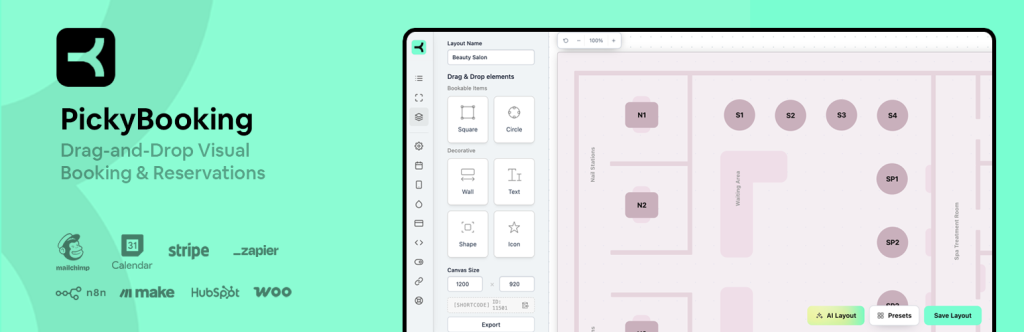
PickyBooking is GoGetThemes’ visual floor-plan booking plugin for WordPress. Guests pick a table, seat, or desk on an interactive map and reserve online. Disclosure: this is a first-party product — Lite ships free; Pro is commercial.
Quick pick: use Lite when the map and booking form are enough. Move to Pro when you need Stripe/WooCommerce deposits, SMS, CRM/automation, AI layout assists, or an Elementor widget.
Key features
- Visual builder — bookable square/circle items, work days, slots, form fields, layout colors.
- Booking flows — Classic, Smart, Smart Map, and Simple modes for different venue types.
- Email notifications + admin calendar in Lite; Pro adds SMS (Vonage), HubSpot/Mailchimp/Zapier/Make/n8n, Google Calendar, and more.
- Pro payments — Stripe and WooCommerce deposits when you need card holds without leaving WordPress.
- Elementor widget (Pro) — embed layouts on builder-driven landing pages.
Lite vs Pro (practical)
WordPress.org rules mean Lite does not hide paid features behind a lock — Pro is distributed separately. Lite covers the map, shortcode , booking flows, emails, and admin bookings. Pro adds payments, decorative layers, AI layout draft/copy assist, guest avatars on the map, JSON import/export, white-label admin branding, and integration connectors.
Important: do not activate Lite and Pro on the same site.
Pricing, PHP, and performance
Lite is free. Pro pricing is listed on pickybooking.com — verify the live matrix before purchase (plans change). Requirements: WordPress 5.8+, PHP 7.4+ (prefer 8.2/8.3 on production). Cache the booking page and keep map assets lean for mobile LCP.
Buy if / Skip if
Buy / install if restaurants, coworking desks, studios, or event rooms need a visual map on WordPress and you want a free start.
Skip if you need multi-staff appointment calendars with packages/recurring services first — evaluate Bookly or similar before forcing a floor-plan product into that job.
FAQ
Is PickyBooking free?
Yes. PickyBooking Lite is free on WordPress.org. Pro is a separate paid product for payments and integrations.
Does PickyBooking support Stripe?
Yes in Pro — Stripe and WooCommerce deposits are Pro capabilities, not Lite.
Can I use PickyBooking with Elementor?
Yes. PickyBooking Pro includes an Elementor widget for embedding layouts on builder pages.
Verdict
PickyBooking is the GoGetThemes answer when the map is the booking UX. Start free, measure real guest behavior, then unlock Pro when deposits and integrations pay for themselves.
